
TL;DR:
- Logging concert memories helps preserve personal stories and evokes nostalgia over time.
- Use dedicated apps like Concert Archives or manual methods to create a detailed music attendance record.
- Consistent logging and media uploads enrich your concert archive and enhance social sharing.
You remember the feeling perfectly: the lights drop, the crowd roars, and for two hours nothing else exists. But fast-forward a few years, and you're struggling to recall whether you saw that band in 2019 or 2021, which venue it was, or who opened the show. Concert memories fade faster than you'd expect, especially when you're going to multiple shows a year. The good news is that logging your attended concerts is easier than ever, and the right tools turn a fuzzy recollection into a vivid, shareable archive. This guide walks you through everything, from choosing an app to building a concert history you'll actually love looking back on.
Table of Contents
- Why log your attended concerts?
- What you need to start logging concerts
- Step-by-step: Logging your past concerts
- Troubleshooting and common mistakes
- Show off your concert history and next steps
- Why the right logging strategy matters more than the app
- Start your concert diary with Gigvault
- Frequently asked questions
Key Takeaways
| Point | Details |
|---|---|
| Logging boosts memories | Recording concerts helps you relive and share your musical experiences for years. |
| Choose the right tool | Apps like Concert Archives and Gigvault make tracking and social sharing easy. |
| Manual entry solves gaps | You can always add concerts manually if databases miss a show. |
| Watch for common pitfalls | Add concerts in batches and verify details to avoid crashes or duplicates. |
| Share and connect | Sharing your concert history builds community and keeps the nostalgia alive. |
Why log your attended concerts?
There's a reason people keep ticket stubs in shoeboxes for decades. Live music hits differently than a playlist, and the memories attached to it carry real emotional weight. When you track concerts for memories, you're not just organizing data. You're preserving the story of who you were when you stood in that crowd.
Here's what a solid concert log actually does for you:
- Nostalgia on demand. Scroll back to a show from five years ago and suddenly remember the setlist, the crowd, the smell of the venue. It's a time machine built from your own experiences.
- Community and connection. Concert Archives stands out for enthusiasts wanting social connection and detailed sharing over pure discovery apps like Bandsintown and Songkick. Finding someone who was at the same obscure show as you creates an instant bond.
- Tracking your music taste over time. Look at your logs from three years ago and you might be surprised. Your taste evolves, and your concert history is proof of that journey.
- Surprising statistics. How many cities have you seen live music in? How many times have you seen your favorite artist? The numbers are often more impressive than you'd guess.
- A record of personal growth. Your first solo show, your first festival, the first time you traveled across state lines for a band. These milestones deserve to be documented.
Pro Tip: Don't wait until you have perfect recall. Start logging now with whatever you remember. Partial entries are infinitely better than blank ones, and you can always fill in details later.
If you want a deeper look at why this habit pays off long-term, check out this guide to tracking live music for more perspective.
After understanding the value of logging your shows, let's see what you need to get started.
What you need to start logging concerts
Before you start entering shows, it helps to know your options and gather your materials. Ready to log concerts? Here's how to prepare your tools and info.
The three main platforms for concert logging each take a different approach. Here's a quick comparison to help you choose:
| Feature | Concert Archives | Bandsintown | Songkick |
|---|---|---|---|
| Past concert logging | Yes, full manual entry | Limited | Limited |
| Photo and video uploads | Yes | No | No |
| Social features | Yes, follow friends | Yes, posts | Basic |
| Stats and recaps | Yes | Basic | Basic |
| Discovery (future shows) | Limited | Yes, core feature | Yes, core feature |
| Flashback notifications | Yes | No | No |
In Concert Archives, users add past and future concerts manually, upload photos, videos, and notes, view stats, follow friends, and receive flashback notifications. It's built for the kind of fan who wants a real archive, not just a ticketing reminder.
Bandsintown and Songkick primarily focus on tracking upcoming concerts via artist follows and notifications, with limited past attendance logging. Bandsintown does let users post about past shows, but it's not the core experience.
For the best apps to track concerts in more detail, it's worth reading a full breakdown before committing to one platform.
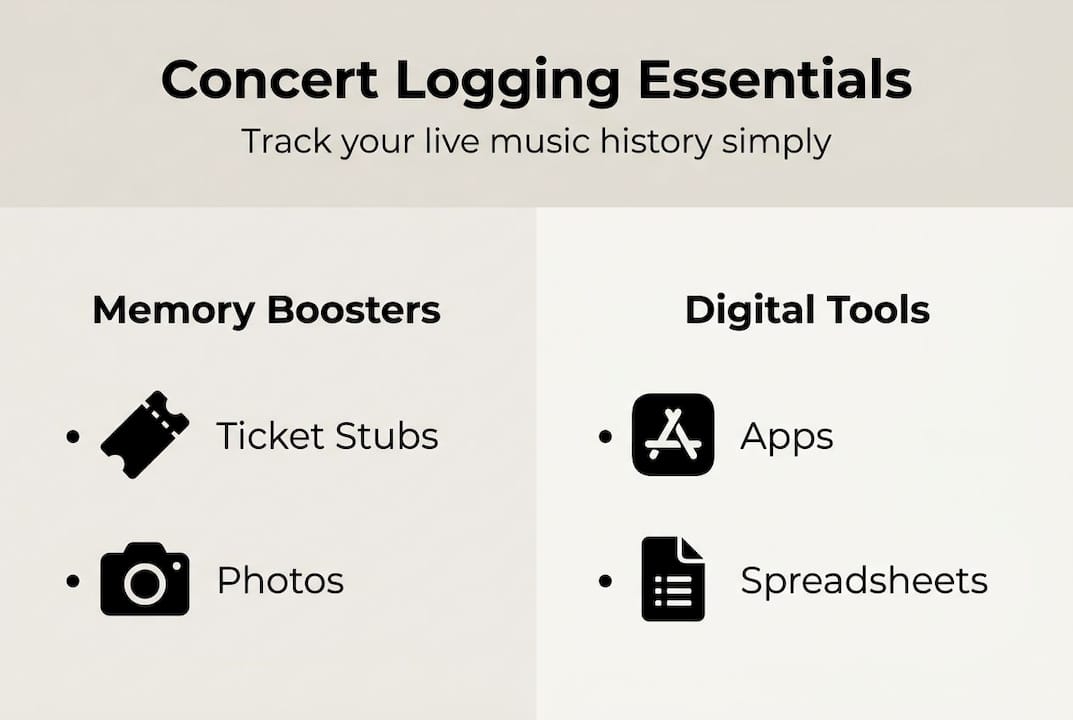
Before you open any app, gather these items:
- A rough list of concerts you remember attending, even just artist names and approximate years
- Old ticket stubs, wristbands, or photos with timestamps
- Your email inbox, since many ticket confirmations are still searchable
- Any social media posts you made around the time of shows
These materials help you remember every concert more accurately and speed up the logging process considerably.
Step-by-step: Logging your past concerts
Now that you're set up, let's log your actual concert history together. The process is straightforward once you know the mechanics.
- Create your account. Sign up on your chosen platform. Use the same email tied to your old ticket purchases if possible, since some apps can pull in past event data.
- Search the concert database. Most apps have a searchable database of past shows. Type in the artist name and year, then filter by city or venue to find the exact event.
- Use advanced filters for precision. If the basic search returns too many results, narrow it down by date range, venue name, or supporting acts.
- Import from Setlist.fm when available. Some apps allow importing show data directly from Setlist.fm, which saves time and fills in setlist details automatically. Check your app's settings for this option.
- Add manually for obscure shows. Not every local gig or small venue show will be in the database. Concert Archives on iOS and similar apps let you create a manual entry with date, venue, artist, and notes. Don't skip these shows. They're often the most meaningful ones.
- Upload your media. Attach photos, videos, and written notes to each entry. That blurry stage photo from the pit is worth adding. Context makes the memory richer.
- Rate the show. Most logging apps let you give a star rating. This helps you build a ranked history and makes it easy to recommend shows to friends later.
Pro Tip: Start with your top five most memorable shows, not the most recent ones. Getting those anchor entries in first makes the whole log feel rewarding immediately and keeps you motivated to fill in the rest.
Here's a quick reference for what to include with each entry:
| Field | Why it matters |
|---|---|
| Date | Anchors the memory to a time in your life |
| Venue and city | Builds your cities visited count |
| Setlist | Lets you relive the exact show experience |
| Photos and video | Visual memory triggers |
| Personal notes | Captures feelings no database can store |
| Rating | Helps you track your all-time favorites |
Once your history is building up, check out your concert wrapped stats to see your data come to life. You can also use a dedicated setlist tracker to keep every song logged.

Troubleshooting and common mistakes
You're on your way! Let's cover what to do if you hit a snag.
Logging dozens of past concerts in one session sounds satisfying, but it comes with real pitfalls. App crashes and freezes when adding many shows are a known issue on Android versions of Concert Archives, and limited databases for small or local bands can leave gaps in your log.
Here's how to handle the most common problems:
- App freezes mid-session. Log concerts in batches of ten or fewer. Save after each entry rather than waiting until the end of a long session.
- Artist or show not in the database. Use manual entry. Keep it simple: date, venue, artist name, and one personal note. You can always add more detail later.
- Duplicate entries. Before adding a show, search for it first. Duplicates clutter your stats and can throw off your milestones count.
- Wrong venue or date auto-filled. Always verify the details before saving. Touring shows sometimes have multiple legs, and the database may pull the wrong city.
- Privacy concerns with GPS verification. Some apps like ConcertCritic use GPS to verify attendance. If that feels invasive, choose a platform that doesn't require location data.
Expert tip: Back up your concert data regularly. Export your log as a spreadsheet or PDF if your app supports it. Losing years of entries to a glitch or account issue is genuinely painful, and most users only think about backups after it happens.
If you're struggling to recall lost concerts, old social media posts, Spotify listening history around specific dates, and email confirmations are your best recovery tools. And if you want to build out your geography stats, this guide on tracking cities visited for concerts is worth a read.
Show off your concert history and next steps
With everything logged and working, here's how to celebrate your concerts and connect with other fans.
Your log isn't just a personal archive. It's a social object. Concert Archives has earned a 4.8 out of 5 on iOS from 835 ratings and 4.7 out of 5 on Android from 679 reviews, with active users since 2013 and features in publications like the New York Times and Pitchfork. That community is real and engaged.
Here's how to make the most of your completed log:
- Explore your stats. Total shows, unique artists, cities visited, favorite venues. These numbers tell a story about your life as a music fan.
- Share your profile or log link. Most apps let you generate a shareable profile. Send it to friends before a show and see who else was there.
- Find your concert twins. Follow people who attended the same shows as you. The overlap is often surprising and always a great conversation starter.
- Set up flashback notifications. Getting a reminder that you saw a band exactly three years ago today is a small joy that never gets old.
- Join community challenges. Many platforms have informal competitions around milestones like most cities, most artists seen, or most shows in a single year. These add a fun, competitive layer to the habit.
When you're ready to see your full history visualized, get your concert wrapped summary for a year-end or all-time breakdown. And if you want to deepen the social side of your logging habit, joining the concert community is a natural next step.
Why the right logging strategy matters more than the app
Here's an honest take after spending time with every major concert logging platform: most fans obsess over which app to use and then never actually log consistently. That's the real problem.
Features matter less than you think. A stable routine and accurate entries beat a feature-rich app you open twice a year. Discovery apps are often criticized for notification spam and bugs, while logging apps get praised for nostalgia but faulted for UI crashes. No platform is perfect.
The magic isn't in the app. It's in the reflection. Reading a note you wrote about a show three years ago, or finding a photo you forgot you took, or realizing you've seen your favorite band eleven times. That's what makes the habit worth keeping.
Don't let app switching paralyze you. Pick one, start entering shows, and stay consistent. Even a simple spreadsheet beats a blank memory. And if you want tips for better concert recall to fill in the gaps from years past, there are real strategies that work. The shared history you build is what counts, not which platform stores it.
Start your concert diary with Gigvault
Ready to turn your memories into a music archive? Here's the easiest way to start.
Gigvault is built specifically for fans who want to do more than track upcoming shows. You can log every concert you've attended, upload photos and videos, view personalized stats, and discover other fans who share your concert history. No algorithm noise. No follower counts. Just your memories, organized and alive.
With features like AI-generated Music Identity, mutual connection discovery, and tools for planning shows with friends, Gigvault goes beyond a simple log. Explore Gigvault features to see everything it offers, or jump straight into the Gigvault concert tracker to start building your archive. Your concert history deserves a real home. Start your concert diary now and never lose another memory.
Frequently asked questions
What app is best for logging concerts I've attended?
Concert Archives and Gigvault are top choices for detailed logging and social features, letting you add past shows manually, upload media, and view stats. Bandsintown and Songkick focus primarily on discovering future events rather than archiving past ones.
How do I log an obscure or local concert not found in the database?
Most apps allow manual entry, so you can add basic details like date, venue, and artist even when the show isn't in the database. Concert Archives on iOS makes this straightforward with a simple form that you can update with more detail later.
What should I do if an app crashes when logging a lot of concerts?
Log shows in smaller batches rather than trying to add your entire history in one session. App crashes when adding many shows are a known issue, so backing up your data regularly protects everything you've already entered.
Can I upload photos and notes from my concerts?
Yes. Concert Archives lets you upload photos, videos, and personal notes for each show, turning each entry into a mini scrapbook rather than just a data point.